
Support
How can we help you today?
OpenEVSE board for juicebox
Hi and Thanks
Can you confirm on the OpenEVSE board:
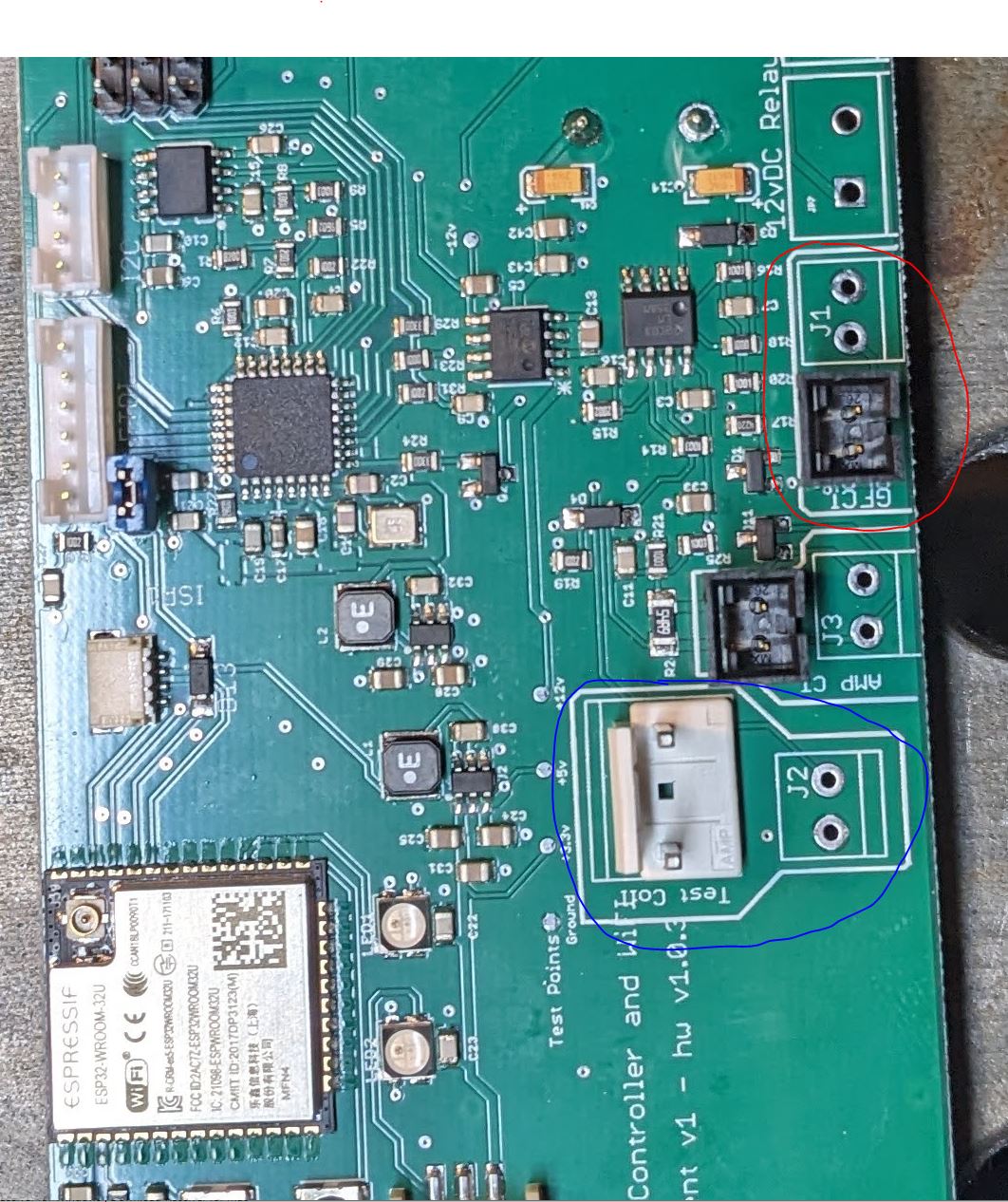
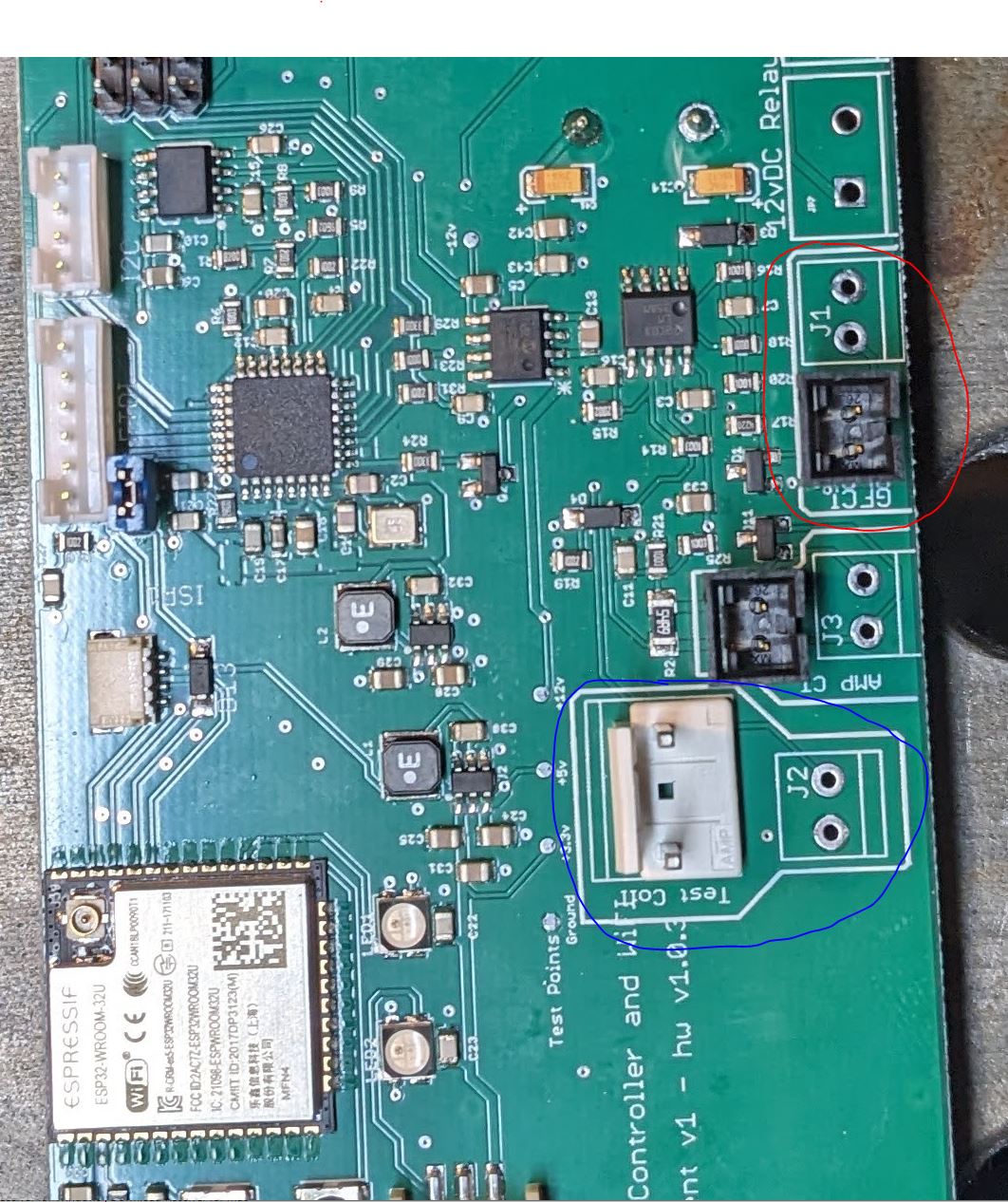
GFI coil goes to J1 (circeled in red)
GFI Test Coil goes to J2 (circled in blue)
Thanks!
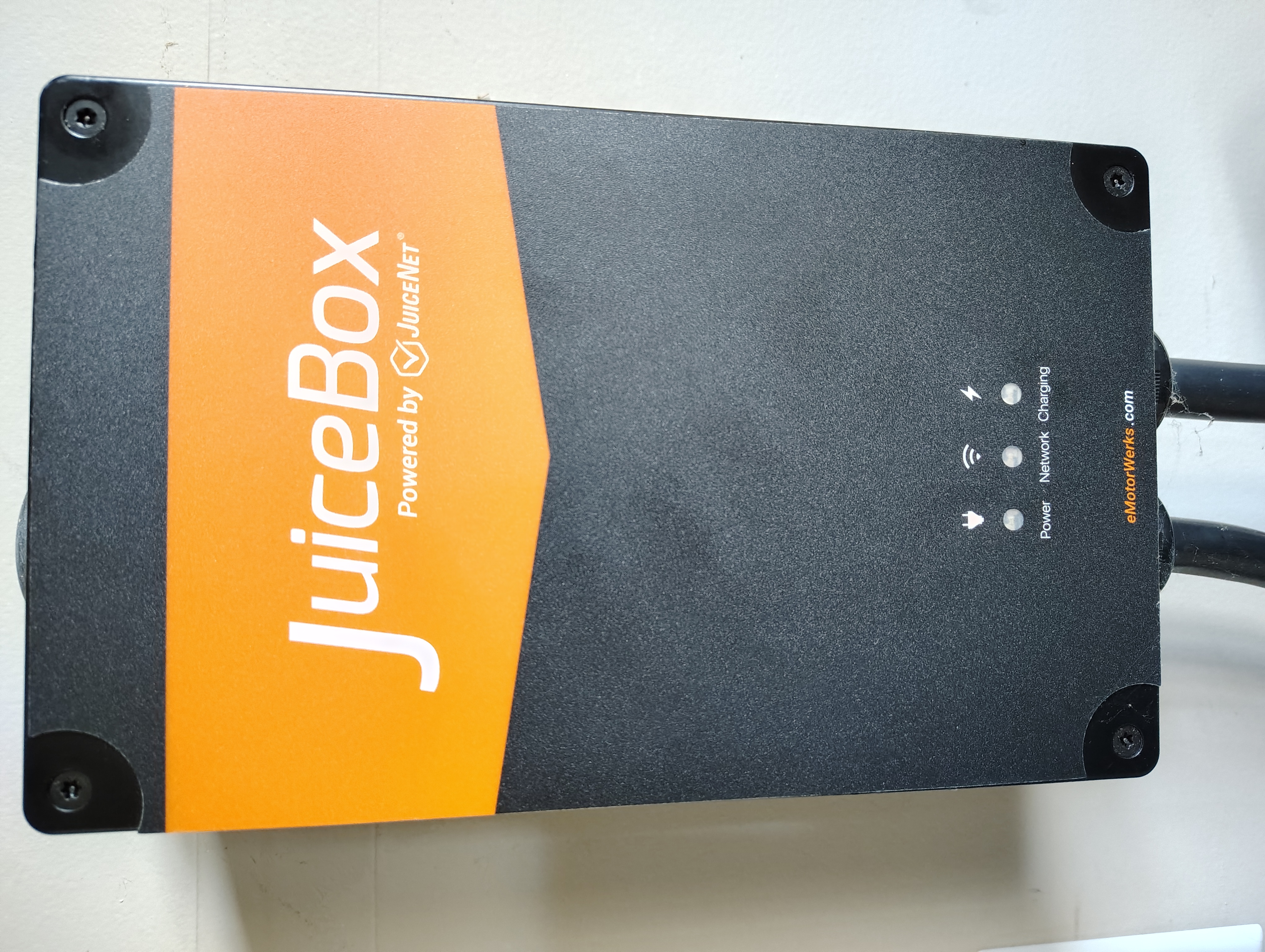
I'm also seeing an error of "Earth ground check failed". I've inspected the board and everything seems to be in order. LED2 on the board is lit green and LED1 is not lit at all. My Juice Box is v1 (see attached image), and my openEVSE board is hardware version 1.0.3.
How can this error be fixed? Do I need a replacement board? Is it safe to charge my car in the meantime? Thanks.
@Jeffrey Martin
I get a new "No Ground" error every time I shut off the breaker to my JB V1 with OpenEVSE rescue board installed. I was advised this is not an issue, and there may be a firmware revision released in the future to optimize the timing of the no ground error.

OpenEVSE Support
@ Ernest,
J1 is GFCI
J2 is Test coil
J3 is AMP CT
We grouped them in a bold white box to help clarify.
MR Smith
MR Smith
Just purchased and installed the new main board in my JuiceBox Pro40 (v1).
Unfortunately I am also seeing the Earth Ground Check Failed. I did disabling the ground check which showed everything green but I can't get either one of my cars to charge. I can't tell if the cars are rejecting the charger or if there is an issue with the board. No alerts, warnings, or logs on the charger that I can see.
My ID4 displays "charge cancelled"
Anyone else have this problem?
OpenEVSE Support
@MRB In most cased Failed Ground Check is just a false positive when the station loses power. There is no need to disable Ground Check. Does the station change state from Ready to Connected when the vehicle is plugged in?
@openEVSE Support
Yes the station changes from Ready to Connected. I can hear the relays in the car and Juicebox click on and then immediately back off again.
I am also seeing the Earth Ground Check Failed. First inspected all of the connectors and made sure all of them are in the right place. And got the same error. Then tried charging and get a blue light on my car for a second and then nothing. And the LEDs also do not work.
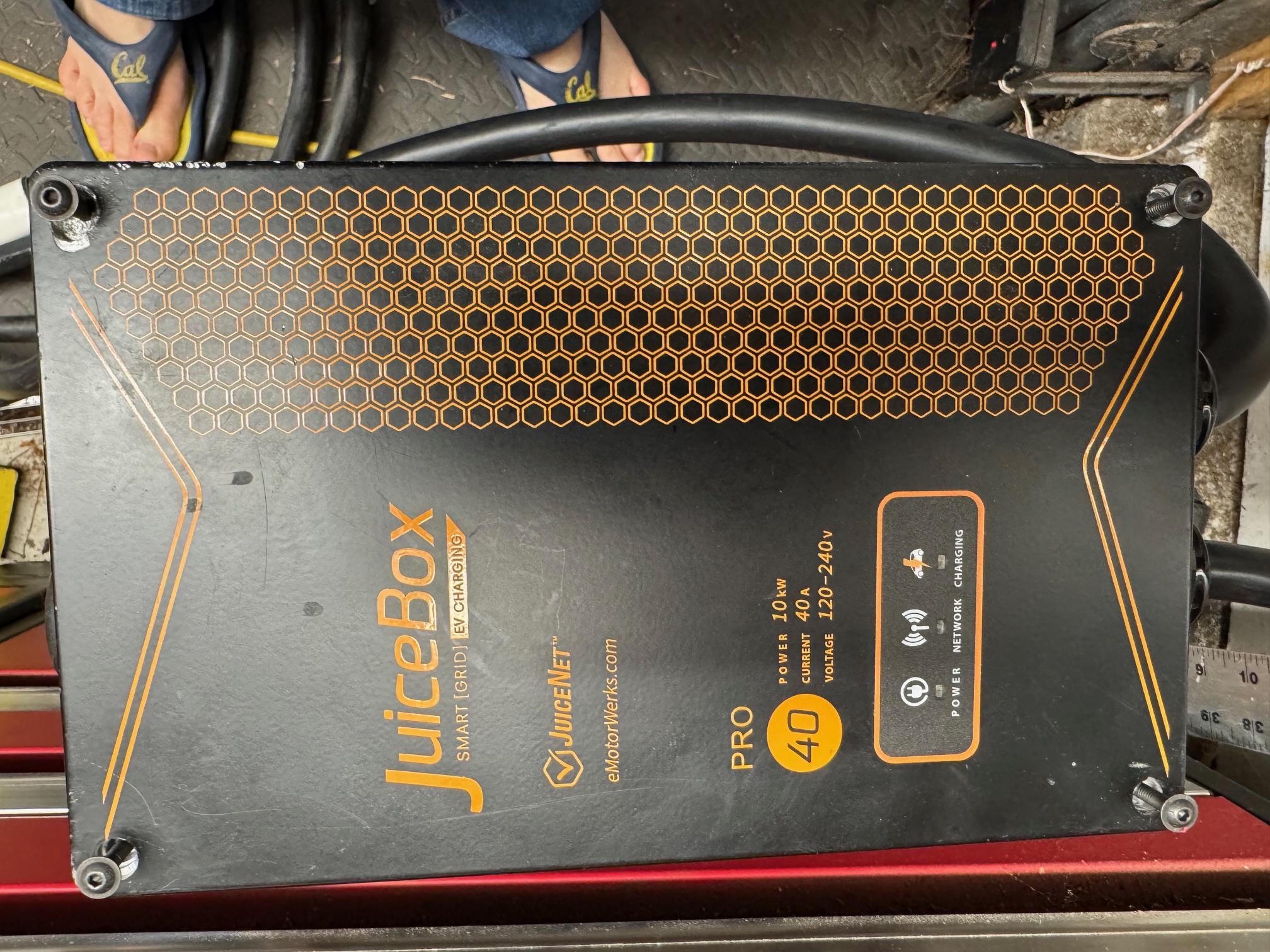
I'm adding a picture of my JuiceBox Pro unit because there does seem to be some variation. Sunday I'm going to inspect the board for solder issues as was pointed out by another poster.
I'm also having trouble configuring the network. My unit keeps coming up in "host mode" instead of joining my WiFi network. The WiFi network name is there it just (for whatever reason) doesn't want to join. Just get a "connecting" message and then on the next restart back in host mode. Maybe because of the error code it thinks it should stay in host mode.
Hi Joe,
Where can you see that you unit is in "Host Mode". Mine was doing something similar. I could "connect" to my wifi network but it showed the network strength as 0dbm and also had a red X next to "Connected".
Also similar to you I could not connect to the unit through my wifi after configuring it. Even after restarting I could only connect directly to the unit via 192.168.4.1.
I submitted a ticket about the charging, ground, and wif issues last Wed, still no response.
Basically the same experience with the network. Next time I boot the unit, I'll take pictures of the status screens and put them here so everyone can see them. It sounds like OpenEVSE knows what the various problems are and, being a small company, are figuring out how to sort things out, especially if this may involve software, hardware & manufacturing issues. I posted a support ticket this weekend. I suspect everyone who received these boards are having these problems.
I have to do an inspection of my board (would recommend you also do so by carefully removing the board) to check the solder connections since one person said that there was a solder flow problem that he fixed by reheating the solder. That's not something most people should try since you can cause unintended consequences like shorts.
I am encouraged by the fact that some of the posters are serious electronics engineers (pro or hobbyist) who have access to oscilloscopes and logic analyzers. The goof-up on the LEDs is a black spot. That was highlighted in a review by Transport Evolved News and it was on the basis of her assertion that the bugs in the proto units would be fixed in the production units that I submitted my orders (yes, I've got V1 & V2 upgrade boards in my possession - unfortunately I have a V0 JuiceBox as well - might as well get burned on all 10 fingers).
And I don't know what your experience was, but the original assemblers way overtorqued the case screws and they had molecularly bonded to the case (joke). The hex or torx screws just stripped so I had to drill the screws out (please don't say just use a propane torch - heat & electronics don't mix). So hate to contradict the support note but this is not a 5-10 minute job.
Finally the installation instructions with photos were quite unclear. I may do my own video on how to do this correctly for the units I have since the instructions provided were ambiguous at best and the labels on the board are all over the place because the board is used for multiple applications. Again this upgrade is not appropriate for folks without some familiarity with electronics.
Sorry this has turned into a bit of a rant but did expect more.
Disappointed Joe
OpenEVSE Support
@Disapointed Joe
Most users are working just fine. Unfortunately, there is a LOT of variation across the v1 Juicebox fleet. We changed the LEDs to match the most common configuration.
OpenEVSE falls back to hosting its own access point if joining your WiFi fails, this happens if the password is incorrect or the signal strength is too low.
If you have a hardware issue call us or submit a ticket and we will send a replacement.
openev. freshdesk. com@redsails. net
I am considering buying the new juicebox retrofit board to get myself started in the OpenEVSE world. I have exactly zero experience with OpenEVSE, and some experience with DIY electronics (ESP-home).
Could someone help me figure out, before I jump in:
* Is that board all-inclusive, or is any additional hardware required?
* Is it compatible with a screen, or at least a button?
* Is it pre-flashed, or do I need to get a programmer too? Which one?
Thanks in advance.