
Support
How can we help you today?
Sheduled Charging
Wow.. no one has a need to schedule EV charging for non-peak times (ie: after midnight) and asked this question or have been able to do it?
I'm really surprised.

OpenEVSE Support
You need to define both a Start time and a Stop Time. If you Just define a start time any time is after your start time.
This is under "Scheduler"? I see the ability to set two states.. "Active" and "Disabled". Am I in the right place?
OpenEVSE Support
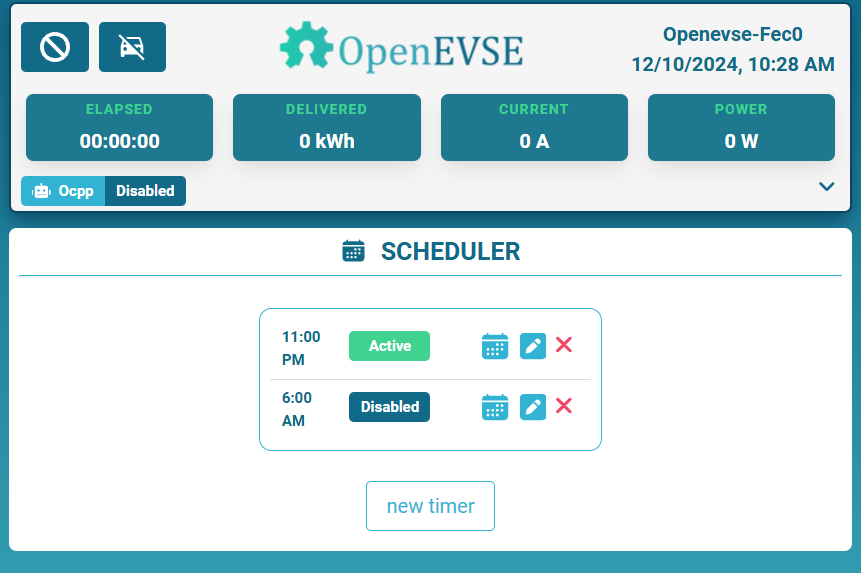
Scheduler is the correct place. For Example If you have low rates at night between 11PM and 6AM You would set:
11PM Active
6AM Disabled
The station would be Active anytime between 11PM and 6AM
The station would be Disabled anytime between 6AM and 11PM

OpenEVSE Support
@Ivan Yuk Low Your screen shot shows Manual Override is Active. Manual Override will override all timers and limits.
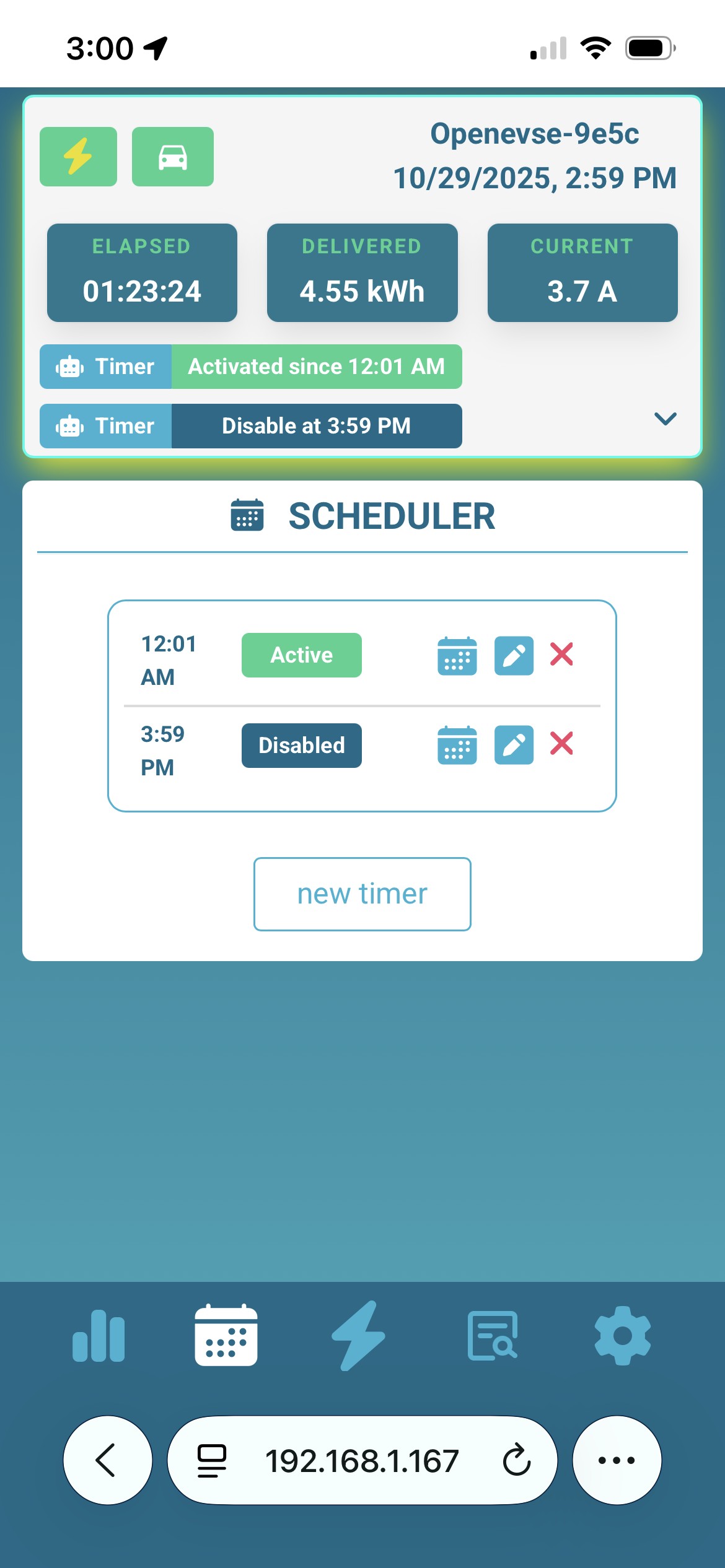
I am having the same issue. Car starts charging right away. I have the timer set for active and a timer for deactivate.
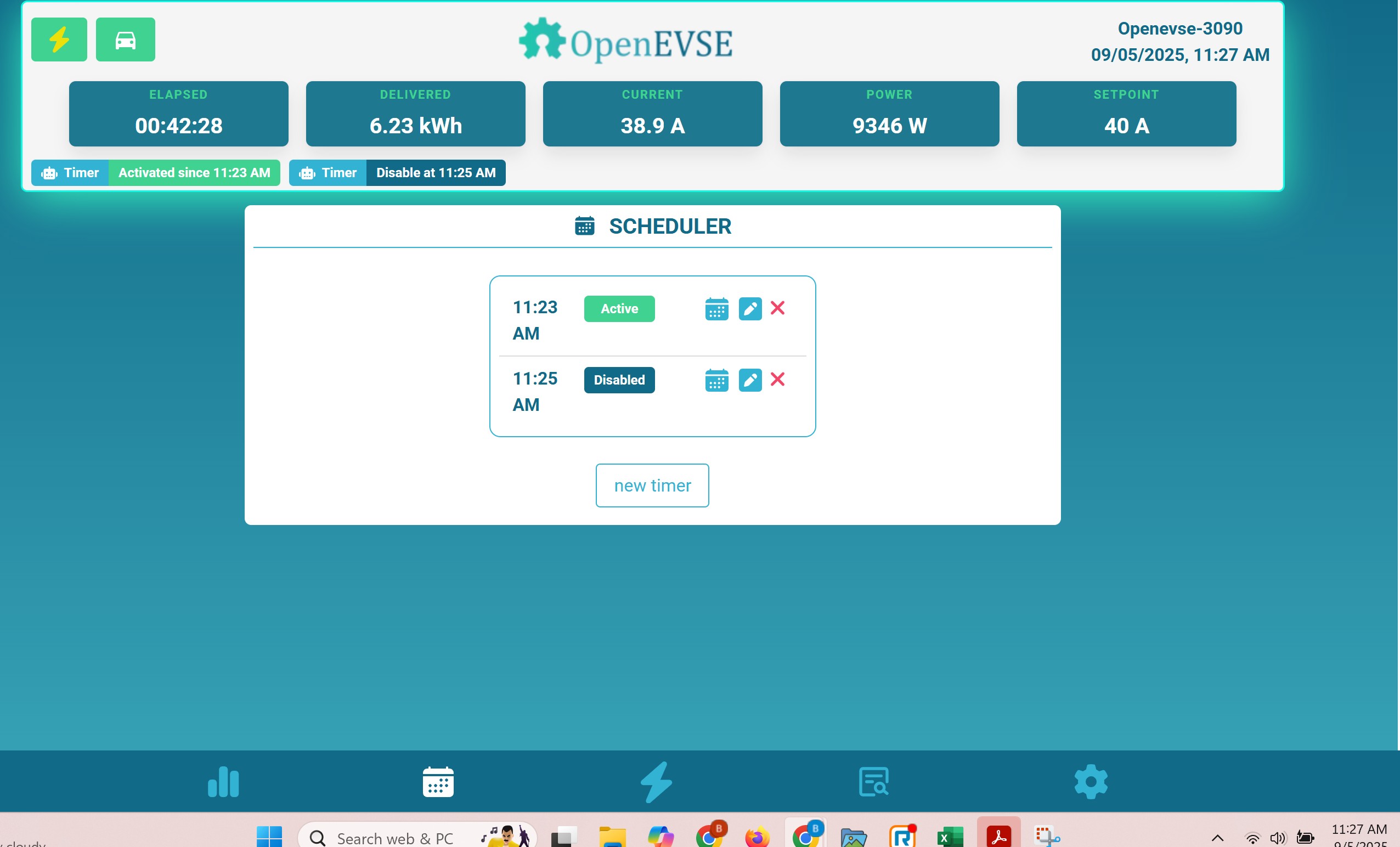
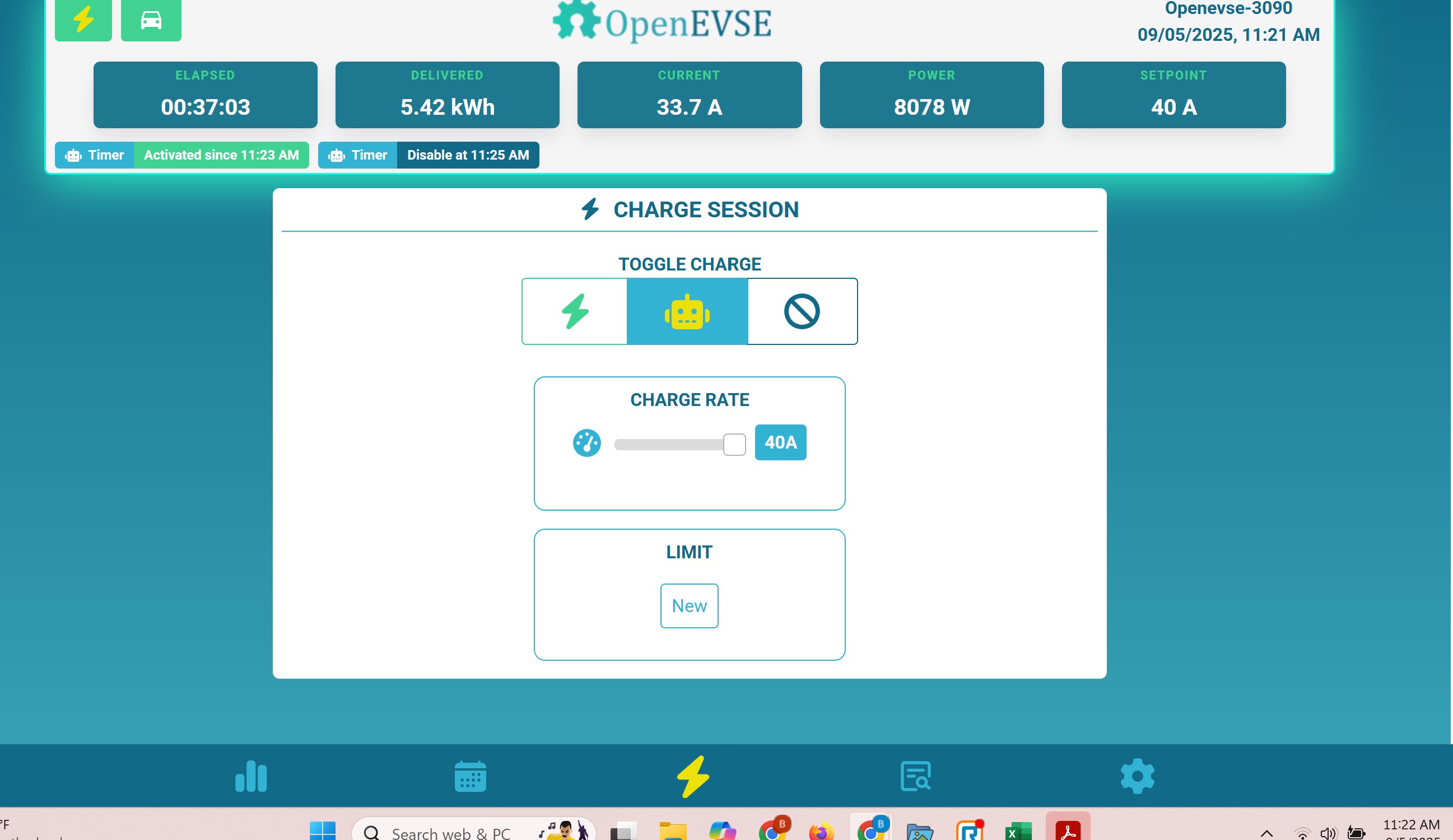
I have an Juicebox V2 converted to open evse. Scheduled charging works randomly mostly not. This worked perfectly when it was an Juicebox. When it don't start charging at midnight and i se this in home assistant in the morning. I try to force it to start but it don't. I have to go out and disconnect the charger and start the car. stop the car and re insert the charger. The Car is an Volvo XC60 T8 2018.
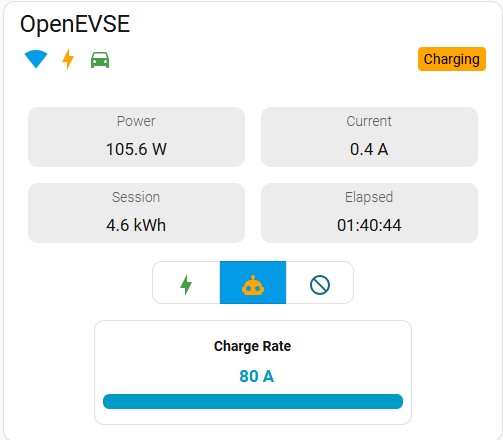
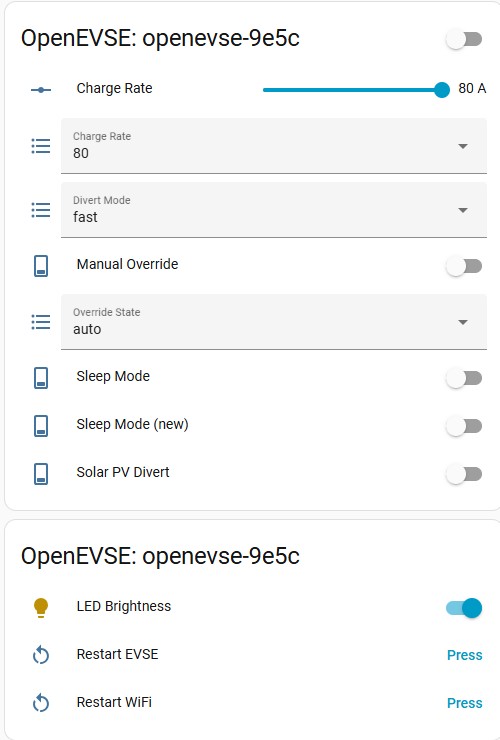
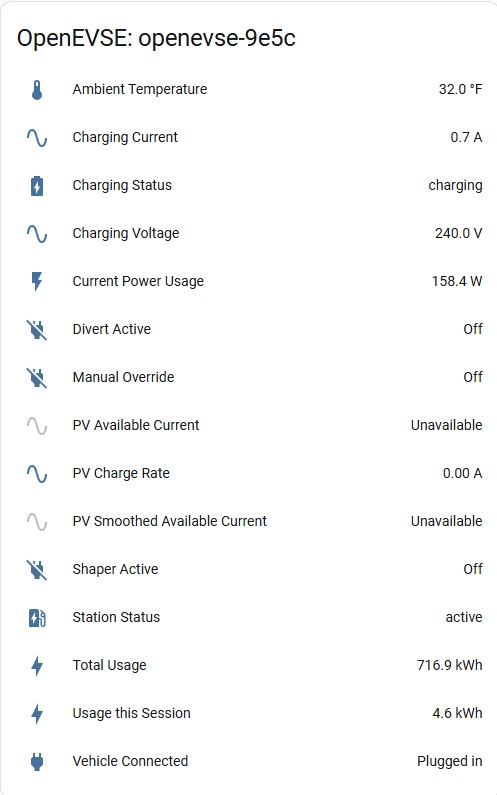
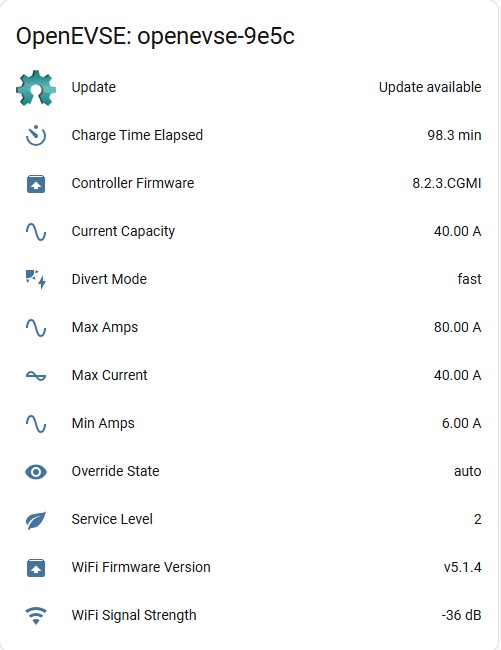
Some nights it start but mostly not. I don't know if some thing is wrong wit my settings the two fist screen shots is form the charger and the next from Home Assistant. Please help or i have to buy a new charger. I'm have the highest electricity prices in the US. And om Time Of Use. With SDGE
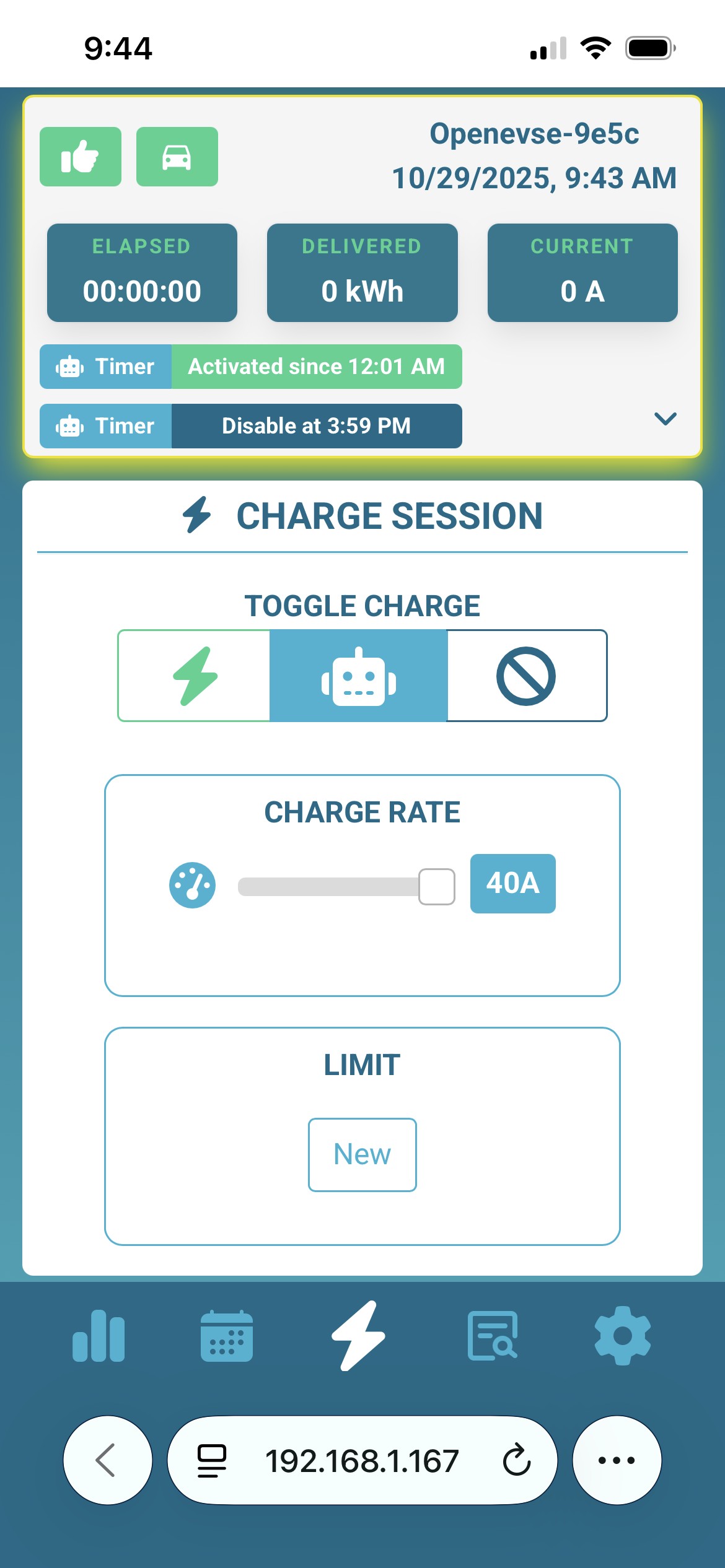
Below is pictures from Home Assistant
For some reason mine defaults to active even though I set the default to disabled.
So, I set 3 timers.
1 for every day at 12:00A to disable charging. I leave this always in my timers
1 for activate for the day that I want to charge over night. (Monday 1:00A)
1 for Disabled for the day I want the charge to happen. (Monday 5:00A)
OpenEVSE Support
@Per Check Sleep Mode, there are two options. The default which is the J1772 standard is to put the pilot HIGH which means EVSE not ready. THe other option is "Disable" which puts the pilot LOW in an Error state. Some Vehicles go to sleep and do not respond to the J1772 standard, but going from and error to ready wakes them up.
Hi,
We have a 2011 Nissan Leaf and I'm unable to get the timed schedule working (i disable charging, and add a start and stop time). Can you explain the workaround for this a little more please:
"but going from and error to ready wakes them up."
does that mean we need to wake it up from an error state? if so, how?
thanks
OpenEVSE Support
@John
The leaf should work fine with the default..
standard J1772 Sleep Pilot HIGH (Evse not ready) to Pilot PWM (EVSE ready)
the work around non-Standard evse LOW (Error) to Pilot PWM (EVSE ready)
To set a timer
set EVSE default state to DISABLES
Set a Day/Time to enable the EVSE
Ser a Day/Time to disable the EVSE
The station will charge between the enable time and disable time.
Yep, that is exactly what I've bee ndoing and.. nada, the car doesn't start to charge :(
Are there _any_ other settings that mioght stop this happening? I'm on
OpenEVSE 7.1.3.EU
OpenEVSE Wifi v5.1.4
Thanks
OpenEVSE Support
@John
7.1.3 is a really old firmware version for the safety controller and 5.1.4 is really new. Its possible there is a conflict between the two.
Is the station turning purple and sleeping when disabled and green when enabled?
Michelle Stoetzel
I think all my previous "smart" chargers would not charge when the EV was plugged in, IF there was a schedule. Unless manually selected to start a charge, they'd wait for the schedule start time.
The openevse charger charges right when I plug the EV in. I tried setting up a schedule starting at 9am and all days of the week, but it still starts charging immediately when plugging in the car.
How can I set up a schedule to activate the charge and not have the charge start when I plug the EV in?
I looked all over for this throughout the menus and did not see anything. Also, I looked for a guide on usage of the charger and found nothing so far.
Thank you!